all work
Muktir Kantho | মুক্তির কণ্ঠ
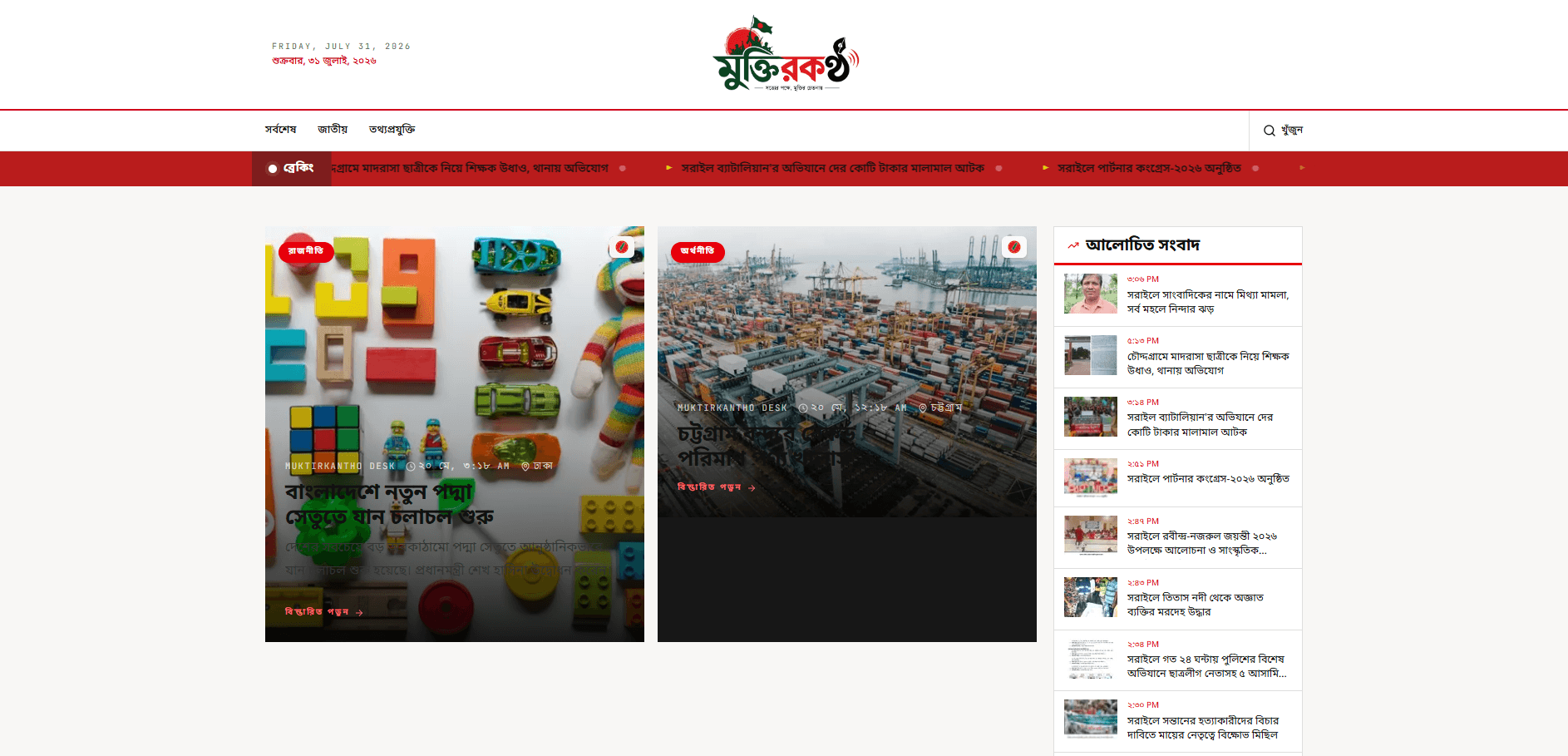
Muktir Kantho is a comprehensive news portal solution engineered for performance and ease of use. It bridges the gap between traditional journalism and modern digital consumption, offering a seamless experience for readers and a powerful management interface for editors. It fully supports Bengali content, precise Location-based news filtering (Division/District/Upazila), and dynamic Ad Management.
<div align="center">
# 📰 Muktir Kantho | মুক্তির কণ্ঠ
### The Voice of Freedom





<p align="center">
A production-ready, feature-rich regional newspaper platform built for speed, SEO, and scalability.
<br />
Designed to empower local journalism with modern web technologies.
</p>
[View Demo](#) · [Report Bug](#) · [Request Feature](#)
</div>
---
## 🚀 Overview
**Muktir Kantho** is a comprehensive news portal solution engineered for performance and ease of use. It bridges the gap between traditional journalism and modern digital consumption, offering a seamless experience for readers and a powerful management interface for editors.
It fully supports **Bengali** content, precise **Location-based** news filtering (Division/District/Upazila), and dynamic **Ad Management**.
## ✨ Key Features
| Category | Features |
| :--- | :--- |
| **📖 Content Consumption** | • **Location Filtering:** Drill down news by Division, District, and Upazila.<br>• **Categorization:** Organized browsing by topic, tag, and region.<br>• **Search:** Fast, extensive search functionality.<br>• **SEO Optimized:** Server-side rendering with JSON-LD and dynamic metadata. |
| **🛡️ Admin & Moderation** | • **Dashboard:** Comprehensive overview of site metrics.<br>• **Post Management:** Rich text editor, draft/publish workflows, and scheduling.<br>• **Taxonomy Manager:** Full control over Categories, Locations, and Tags.<br>• **Branding:** Customize Logo, Favicon, and contact details directly from the admin panel. |
| **🎨 UI/UX** | • **Responsive Design:** Mobile-first approach using Tailwind CSS.<br>• **Dark Mode:** Built-in theme switching support.<br>• **Ad Spaces:** Dynamic ad slots (Banner, Sidebar, Feed) managed via admin. |
| **🔧 Integrations** | • **Cloudinary:** Optimized image storage and delivery.<br>• **Social Sharing:** Built-in social media sharing capabilities.<br>• **Facebook Integration:** Auto-posting to Facebook Pages. |
## 🛠️ Tech Stack
- **Framework:** [Next.js 15 (App Router)](https://nextjs.org/)
- **Language:** [TypeScript](https://www.typescriptlang.org/)
- **Styling:** [Tailwind CSS](https://tailwindcss.com/) + [Lucide Icons](https://lucide.dev/)
- **Database:** [MongoDB Atlas](https://www.mongodb.com/atlas) (via Prisma ORM)
- **Authentication:** Custom JWT-based Admin Auth
- **Storage:** [Cloudinary](https://cloudinary.com/) (Images/Media)
- **Deployment:** Vercel (Recommended)
## 🏎️ Getting Started
Follow these steps to set up the project locally.
### Prerequisites
- Node.js 18+
- MongoDB Atlas Account
- Cloudinary Account
### Installation
1. **Clone the repository**
```bash
git clone https://github.com/morshedkoli/muktirkantho.git
cd muktirkantho
```
2. **Install dependencies**
```bash
npm install
```
3. **Environment Setup**
Copy `.env.example` to `.env` and configure your keys.
```bash
cp .env.example .env
```
| Variable | Description |
| :--- | :--- |
| `DATABASE_URL` | MongoDB Connection String |
| `NEXT_PUBLIC_CLOUDINARY_CLOUD_NAME` | Cloudinary Cloud Name |
| `CLOUDINARY_API_KEY` | Cloudinary API Key |
| `CLOUDINARY_API_SECRET` | Cloudinary API Secret |
| `ADMIN_EMAIL` | Default Admin Email |
| `ADMIN_PASSWORD` | Default Admin Password |
| `JWT_SECRET` | Secret for signing tokens |
4. **Database Setup**
```bash
# Generate Prisma Client
npm run prisma:generate
# Push Schema to DB
npm run prisma:push
# (Optional) Seed Initial Data
npm run db:seed
```
5. **Run Development Server**
```bash
npm run dev
```
Open [http://localhost:3000](http://localhost:3000) to view the site.
<br>
Access Admin Panel at [http://localhost:3000/admin/login](http://localhost:3000/admin/login).
## 📂 Project Structure
```bash
├── app
│ ├── (admin) # Protected Admin Routes & Layouts
│ ├── (public) # Public News Routes (Home, Category, Post)
│ └── api # API Route Handlers
├── components
│ ├── admin # Admin UI Components
│ └── public # Public UI Components
├── lib # Utilities, Auth, Database, & Services
├── prisma # Database Schema & Seed Scripts
└── public # Static Assets
```
## 🤝 Contributing
Contributions are welcome! Please feel free to submit a Pull Request.
1. Fork the Project
2. Create your Feature Branch (`git checkout -b feature/AmazingFeature`)
3. Commit your Changes (`git commit -m 'Add some AmazingFeature'`)
4. Push to the Branch (`git push origin feature/AmazingFeature`)
5. Open a Pull Request
## 📄 License
Distributed under the MIT License. See `LICENSE` for more information.
---
<div align="center">
Made with ❤️ by <a href="https://github.com/morshedkoli">Morshed Koli</a>
</div>